Safety records and reminders
Days since the last incident, PPE requirements, and the notice that has to be current.
Manufacturing
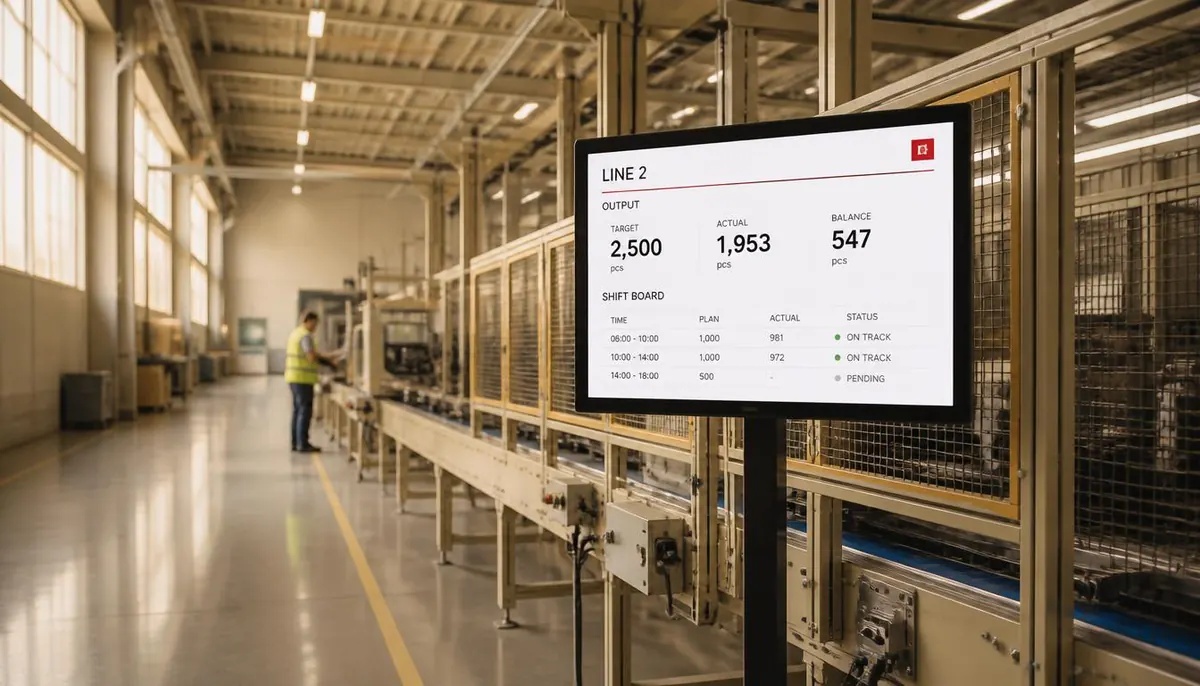
Nobody on a production floor reads email. Safety records, shift notices, quality reminders and targets belong on a screen at the line — published from head office, and visible on the dashboard when one goes dark.
Plans, prices and trials are set by your ScreenQube partner.
Where it ends up
The screen above is what you publish. This is where it ends up — a display a customer stands in front of, driven by a player that fetched it on its own.
What goes on the screens
Every one of these is ordinary media, arranged in Composition and sent out by Publish. Nothing here needs a separate system.
Days since the last incident, PPE requirements, and the notice that has to be current.
Who is on, what changed, and what the next shift is walking into.
Published as artwork on a schedule — the board a line stands under.
One publish, and every board in the plant carries it.
The laminated sheet, current, and changed in one place.
The things a canteen screen does better than a noticeboard.
Where the screens go
Short, legible at distance, in the field of view of the work.
Site rules and contractor notices before anyone is on the floor.
The longer content people have time to read.
Loading notices, safety and traffic routes.
How it is run
The same four steps whether you have four screens or four hundred. This is the real console, not an illustration.
One facility per site, branch or building. A screen joins by showing a registration code, which you type in once. Switch between facilities from the header.
Media goes into the library, in folders, with tags. Composition arranges it into zones — your own files, plus App Store apps like weather, news or a ticker.
On a schedule, with day sequences. Or QuickPlay, which the console describes as displaying content instantly for a flash sale or an emergency. Or as the default composition a screen falls back to.
Live Monitoring reports each screen's state. Take Screenshot shows what one is really displaying. Reload, clear the cache or reboot it remotely.
What it fixes
Set it up as
Nearby
Questions
No MES or SCADA connector has been observed. What is built is a web-URL app, so a line dashboard your own systems already publish can be put on the screen.
Yes. Each plant is a facility with its own screens, and Publish targets the facilities you choose.
It is counted in Total Disconnected Screens on the dashboard. Whether a player keeps playing without a network has not been confirmed.
An Android player app, on displays you already own.
Talk to us about becoming the partner who sells it.
We will introduce you to the partner who covers your region.